MusicHub+ is a WordPress Plugin that sets up a Music Streaming Guide for your Fansite!
MusicHub+ is the Music only version of StreamHub+!
PLUGIN NOTE: The Legacy Version will only continue to be able available through September 1, 2026.
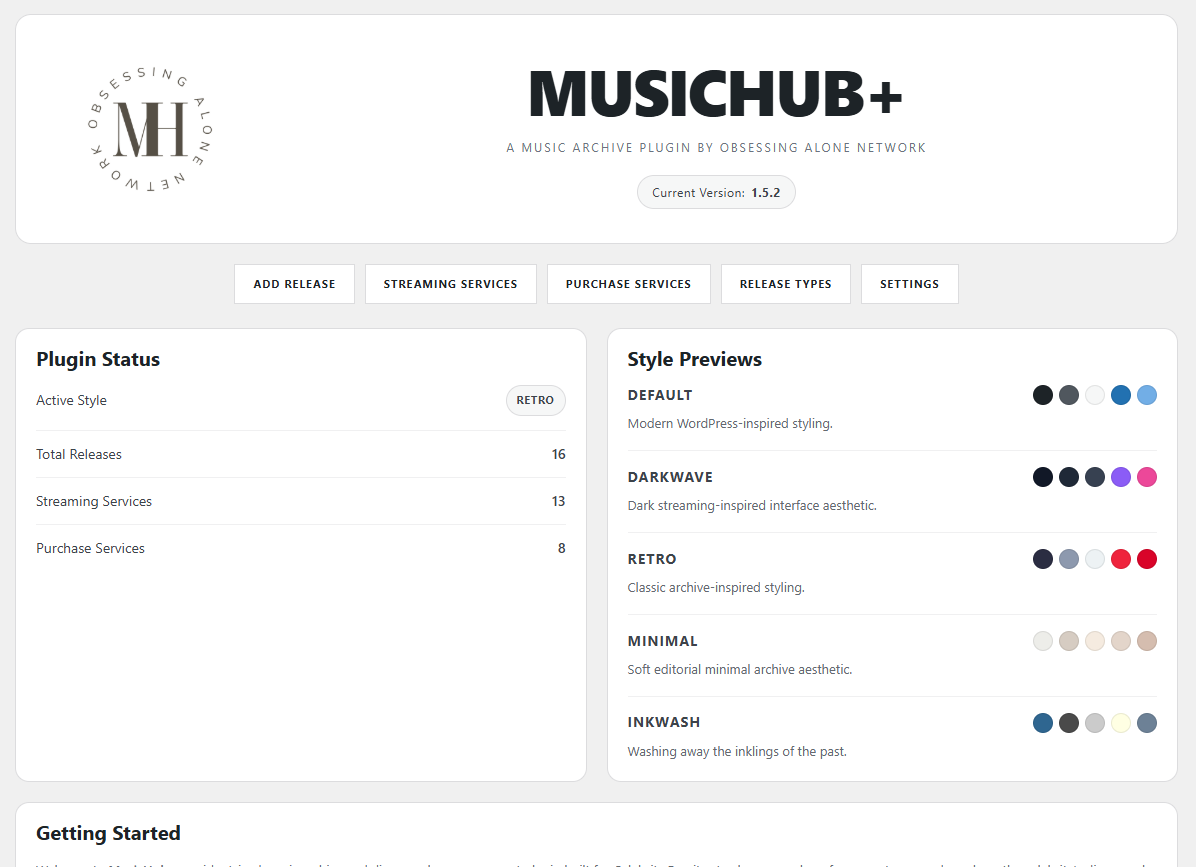
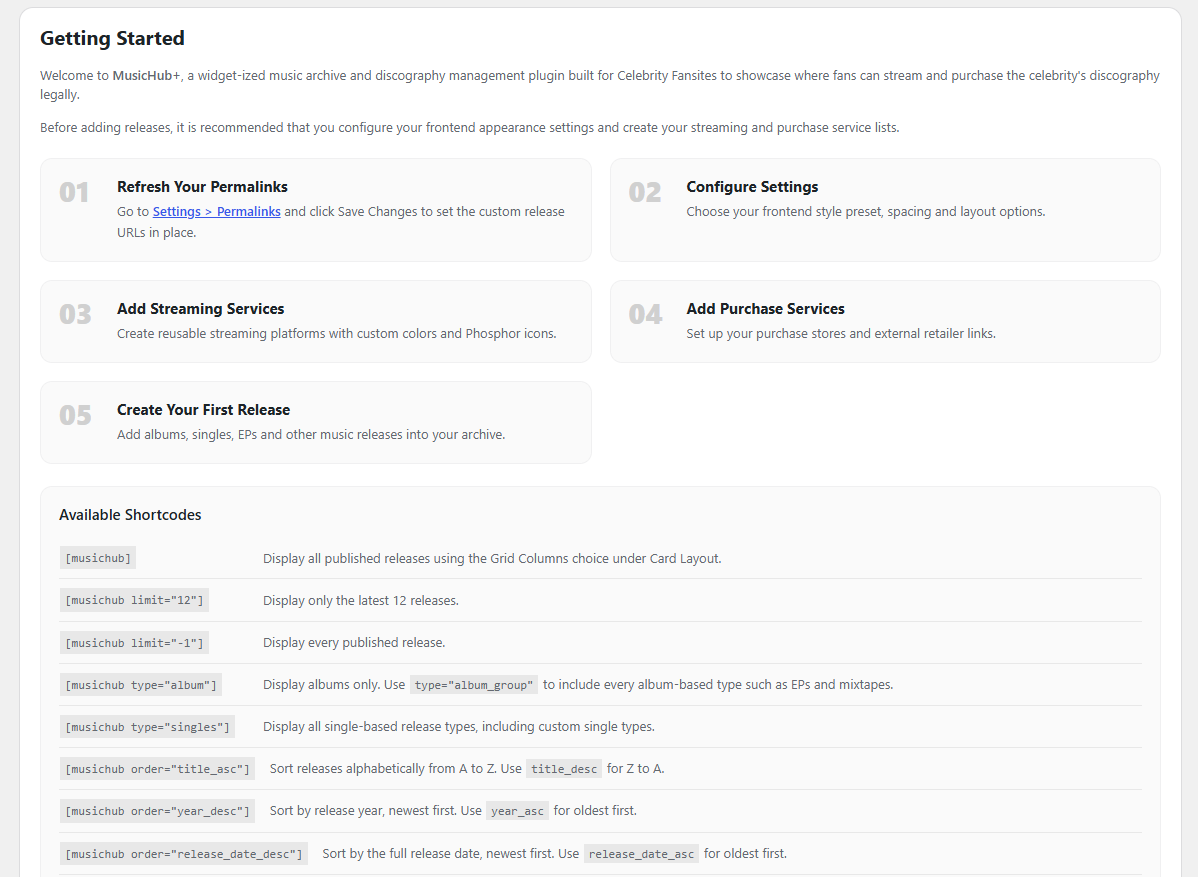
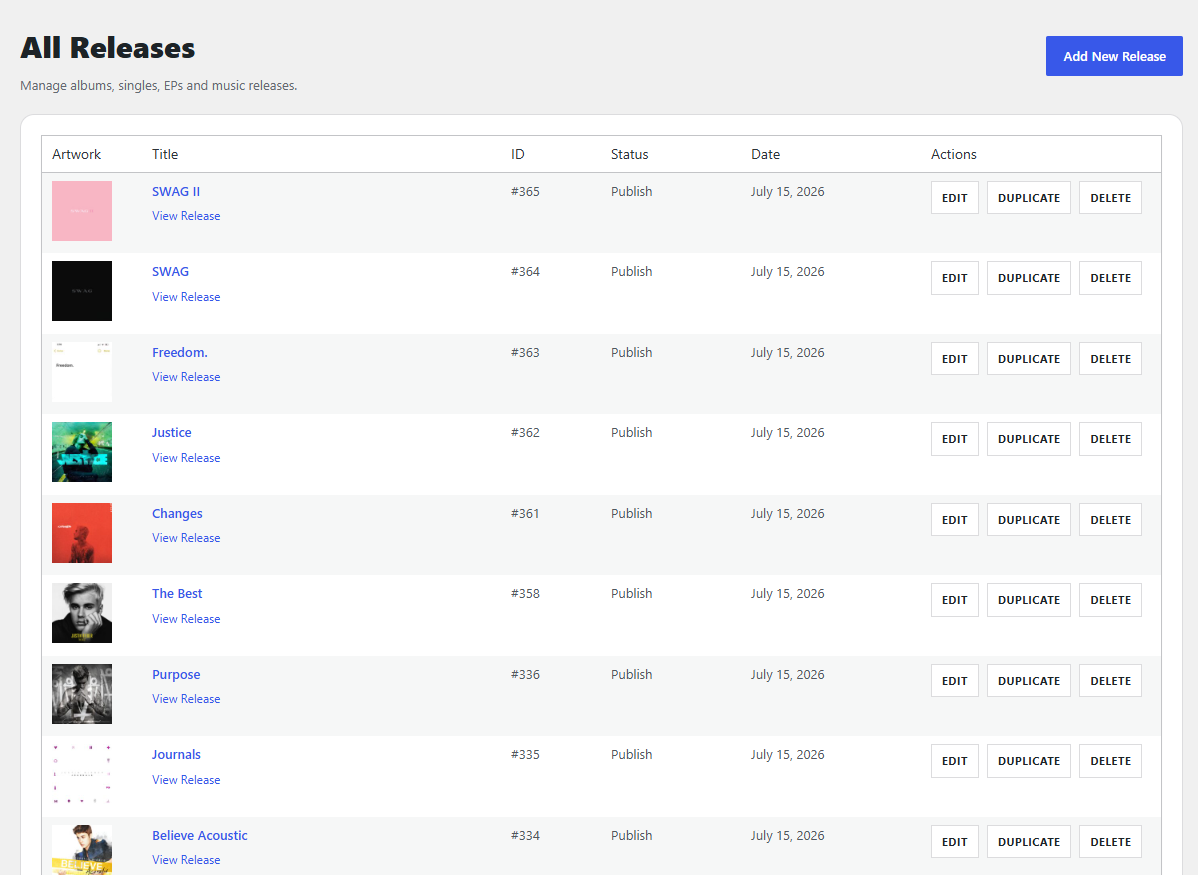
MusicHub+ is a plugin that is built for WordPress exclusively and allows you to set up a fully functional Streaming Guide of all of your celebrity’s discography. You can fill out tracklists, writers, producers and even more information than ever before along with being able to list all the places that their music is streaming!
Update Note
MusicHub+ has been completely remastered in the newest update which has bumped the version up to V1.0.0. Since this update, so much has changed in the plugin and therefore it required a complete overhaul of everything and a new rundown and screenshots.
PLEASE READ THE ENTIRE PAGE, It’s recommended that you upgrade to the Remastered Version and cease using the Legacy Version as it will not be updated any further.
IMPORTANT NOTE: If you have used what is now the Legacy Version of MusicHub+, then we have also set up an Import Feature to where you can completely import all of your information from the legacy version into this new update since it’s acting as a whole new plugin.
New Releases
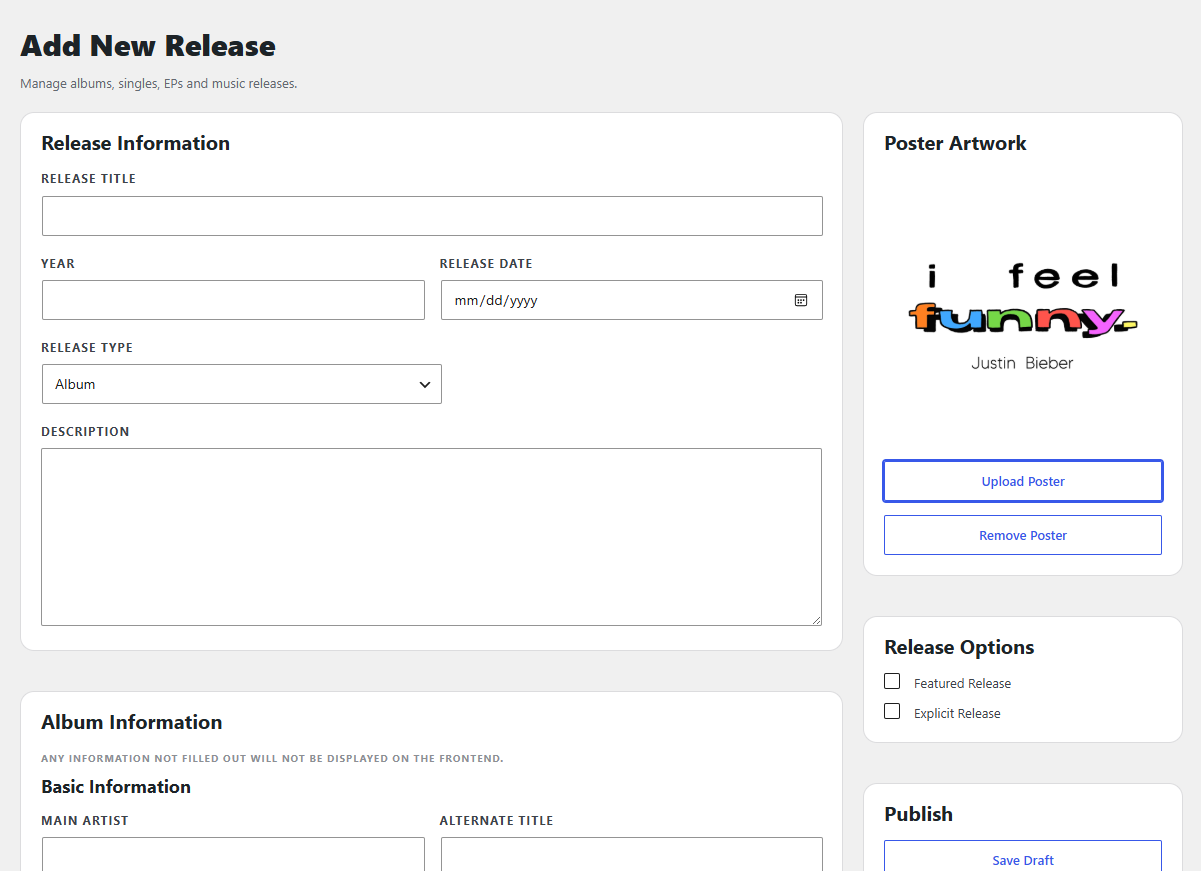
The main changes on the New Releases include options dealing with Albums or Singles and are based off which Release Type is chosen. Singles will feature options for lyrics, and the track list can be used for those that have a Single CD release where multiple versions are bundled together like Acoustic, Instrumental and others.
Settings
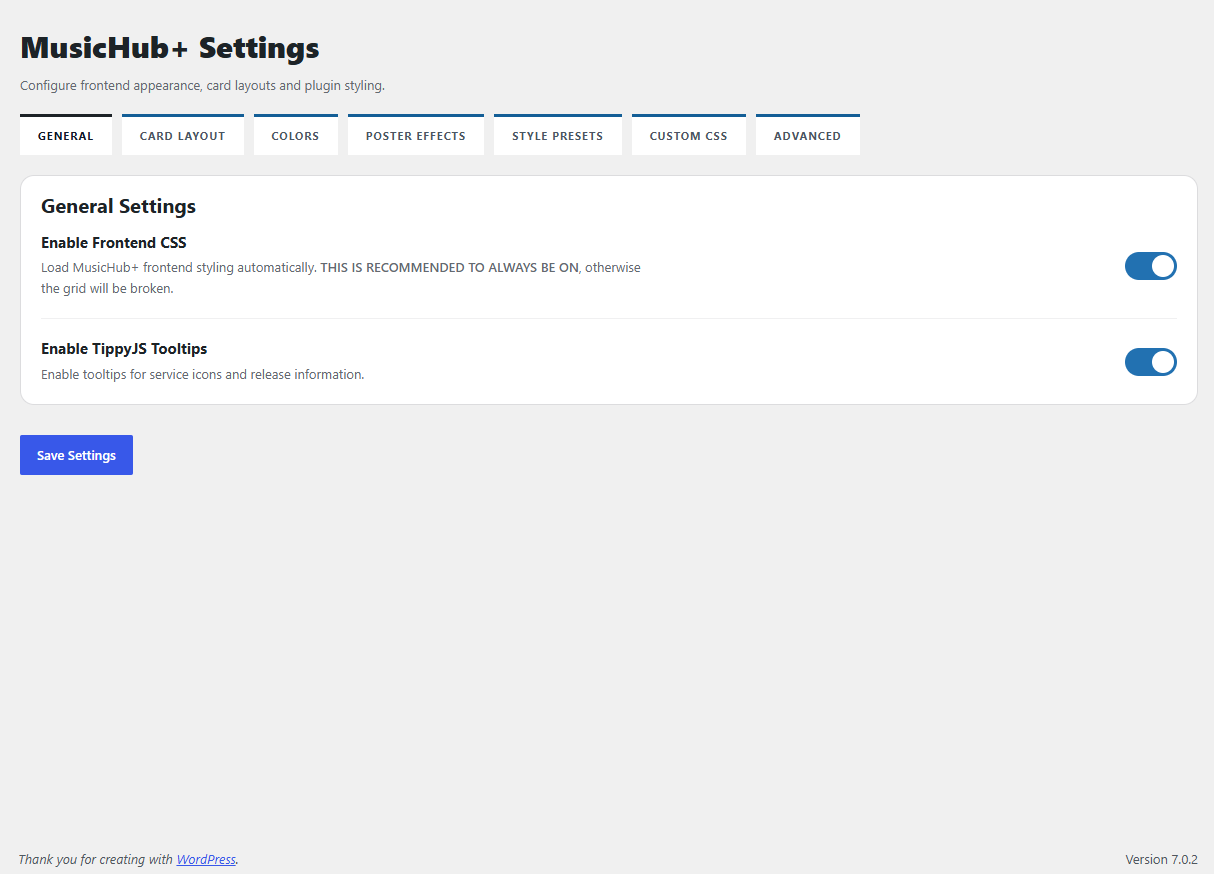
For Settings, please take note in these as there are multiple tabs targeting different areas of the plugin.
- General Tab: This can primarily be left alone; these options were left for the advanced users.
- Card Layout Tab: This controls Grid Columns (you can choose how many columns you want to display on the directory shortcode with the default being 3.), Card Style (rounded or square), Poster Style (rounded or square), Title Background Area (if you want the Title / Year to display a different background color.), Show Service Labels (if you want the card to say — Streaming: and Purchase: next to the icons), Show Phosphor Icons (if you disable this, it will show the first letter of each service.), Release Type Overlay Position (choose where you want to position the Release Type)
- Colors Tab: Change all the relevant colors of the Grid and Cards, this affects both the grid and sidebar widgets. The Style Presets override these colors.
- Poster Effects Tab: If you want to enable Grayscale, we give three options on various ways to display the grayscale.
- Style Presets Tab: We have included 5 preset color palettes, that you can decide on whichever one you want for easy coloring. This is to save you time in styling it yourself!
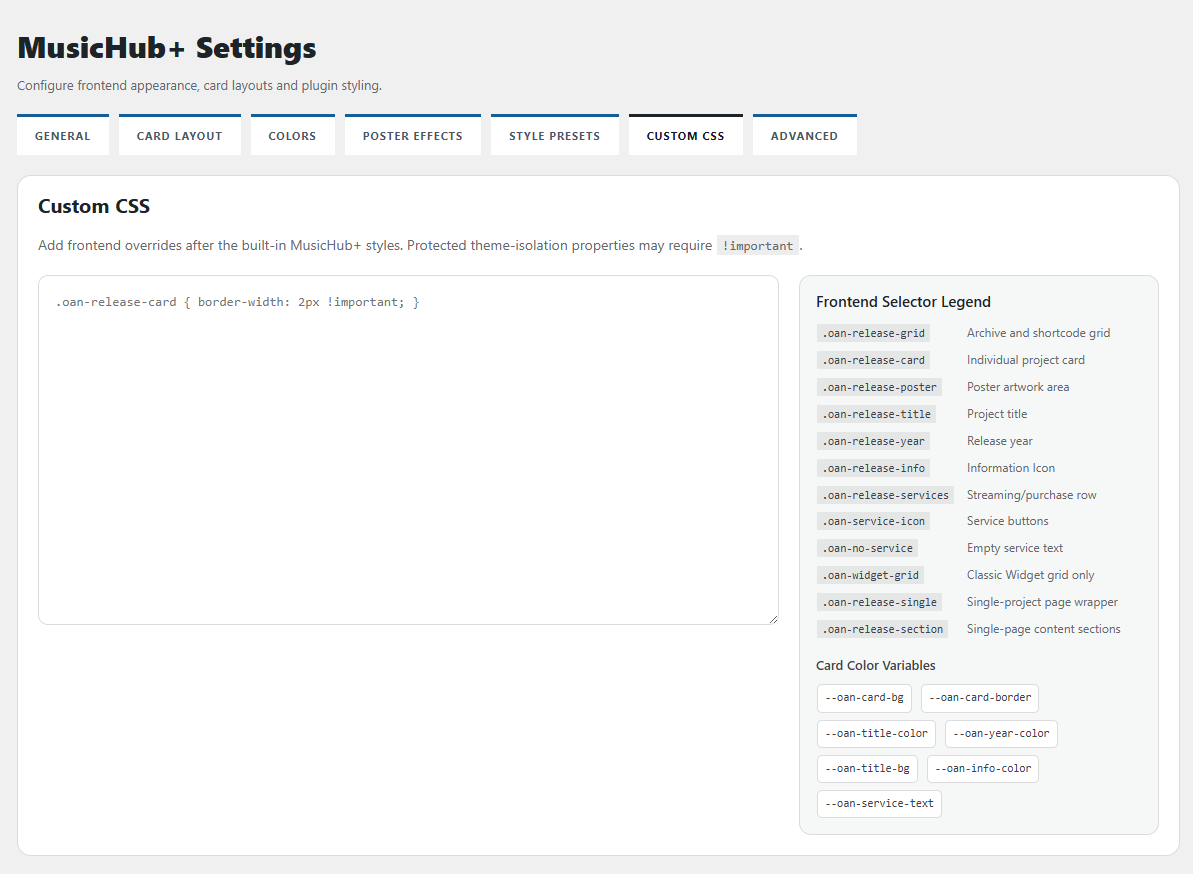
- Custom CSS Tab: For advanced users, all relevant selectors and things you need to target are listed for quicker help.
- Advanced Tab: Use Custom URL (for those who have their own pages built for the projects), Show “Not Currently Streaming” Text / Show “Not Currently Purchasable” Text (for those who want to showcase those missing from being able to be streamed or purchased.)
Icon Browser
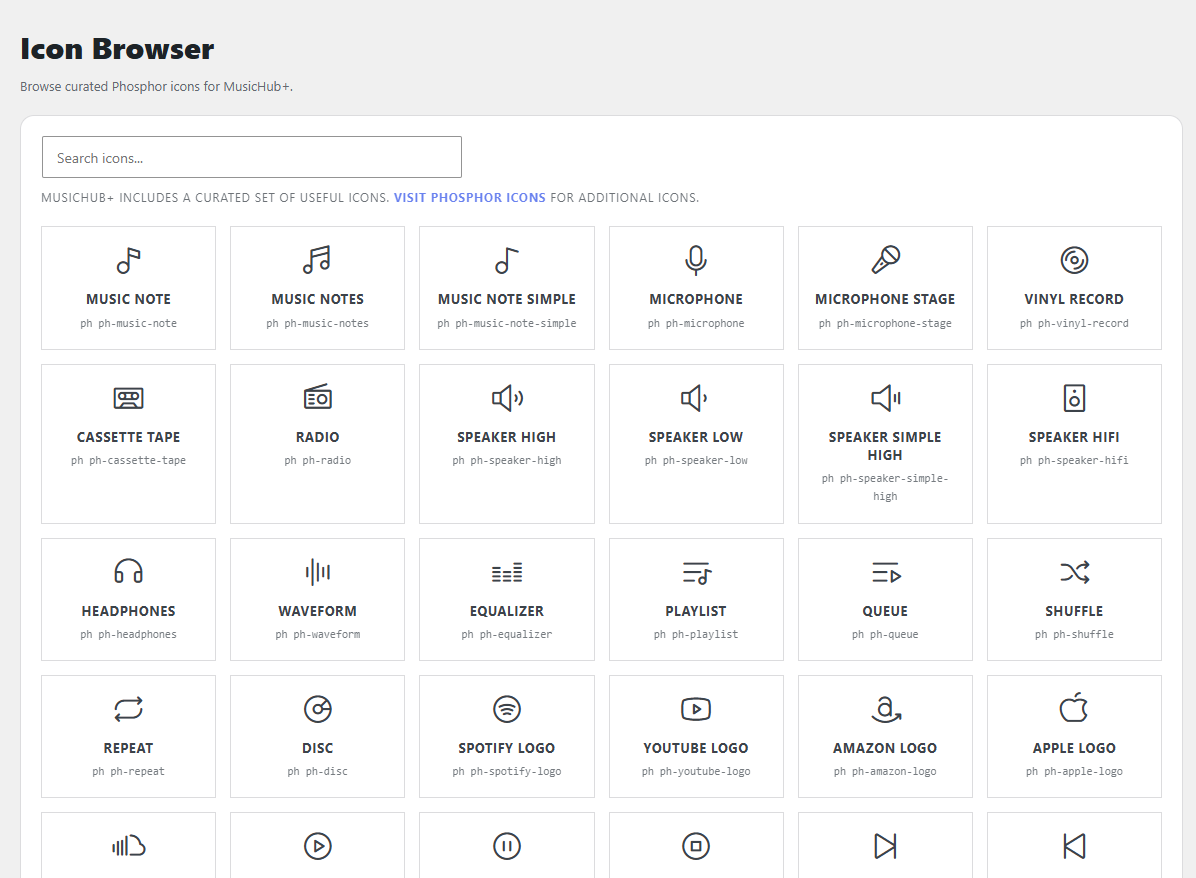
In a new addition to the plugin, we have included a huge Icon Browser that showcases icons from Phosphor Icons that relate to Music, you can click on any icon and it will copy the needed code (i.e ph ph-radio) for you to make your own Streaming Service, Purchase Service or other need for the icon.
Import Legacy (+ Custom URLs)
This is Important but only if you used the Legacy Version!
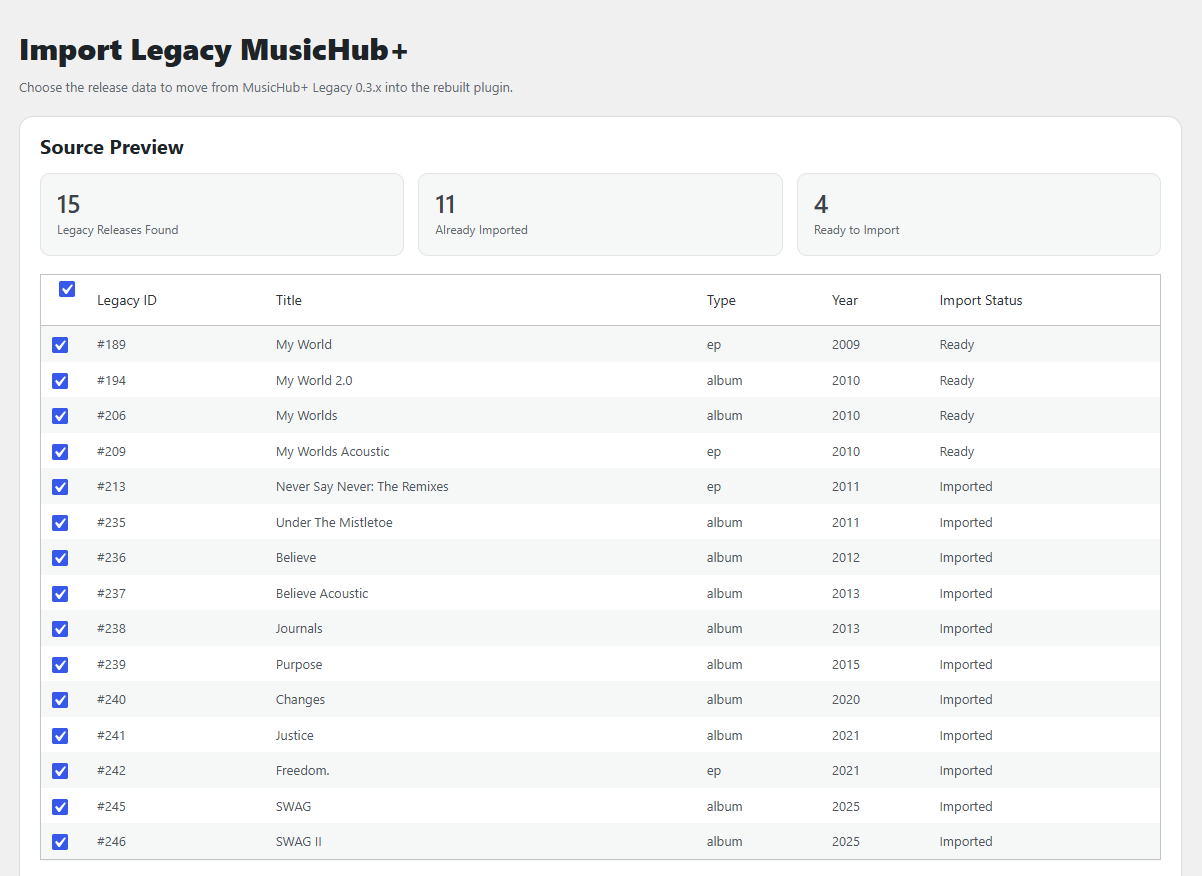
The Import Legacy feature requires the legacy version of MusicHub+ to be installed still so it can read your projects that you already created. It will list how many Legacy Releases were found, how many you already imported and how many are left to import.
You can also choose which aspects of Legacy Releases you want to import, and they will automatically be filled out in your releases when you go in to edit them and fill in all the extra information that you want.
If you use Custom URLs and choose to import those, it should automatically enable the Custom URLs option in the settings if you haven’t done so already. These Custom URLs will replace the plugin’s single release page so that you can use your own page.
After you successfully import, you can remove the Legacy MusicHub+. (Ensure that you keep the V1.0.0 version of MusicHub+ since the plugins share a name.)
Services & Types
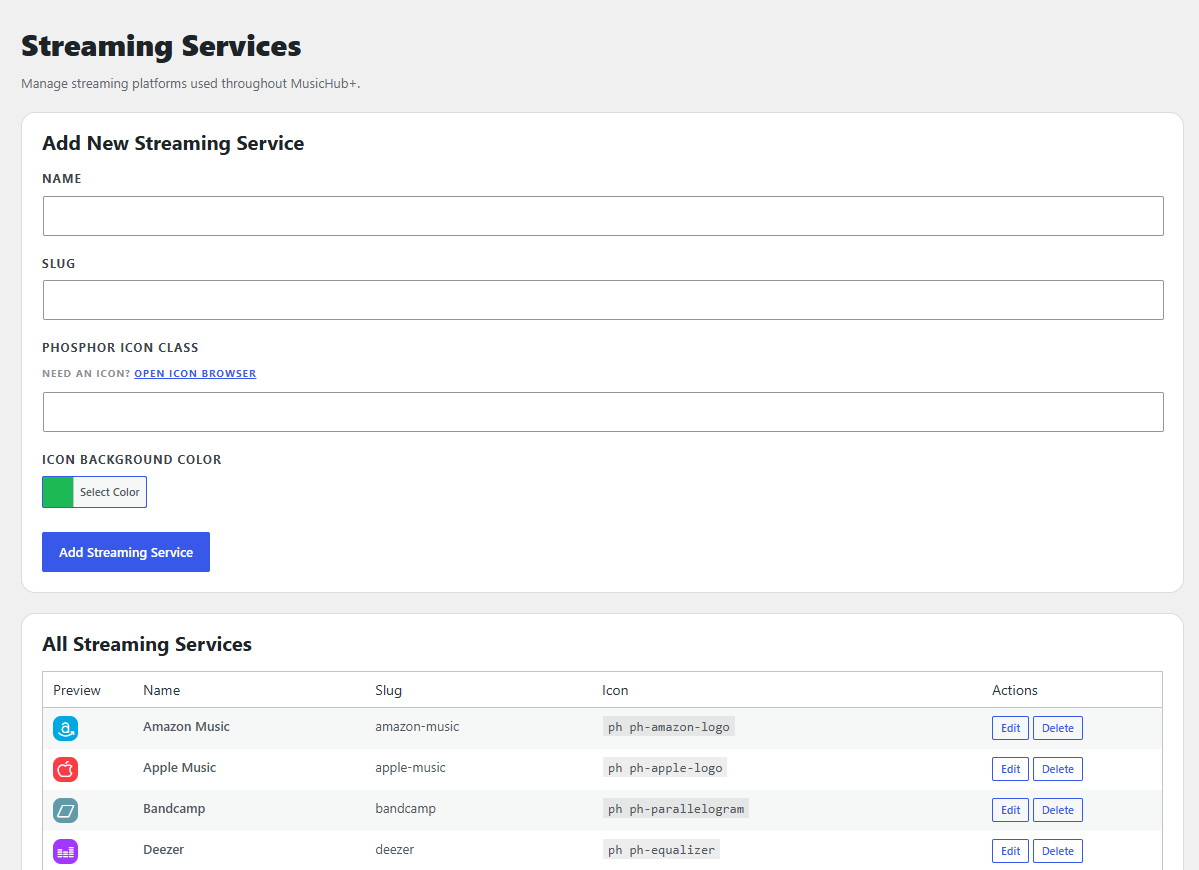
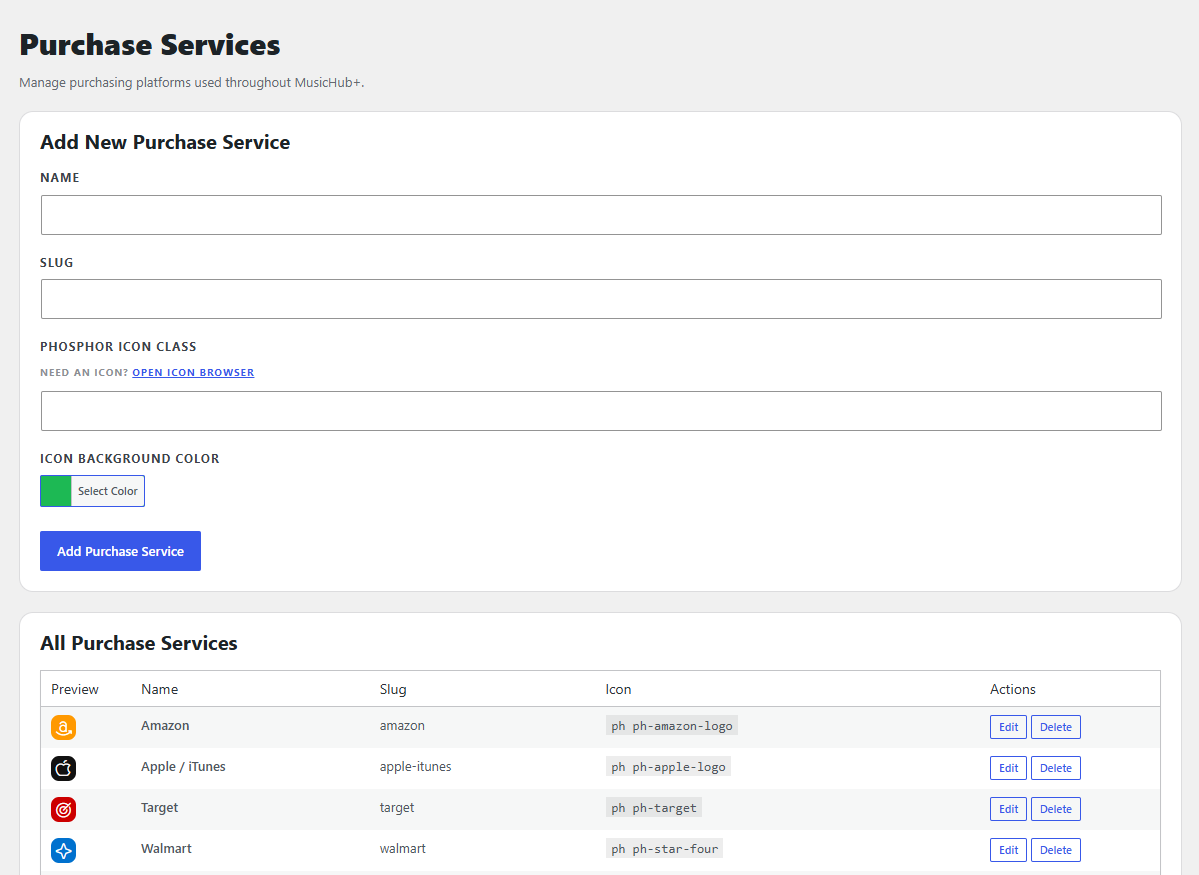
Streaming Services and Purchasing Services have been upgraded with the default packaging coming with THIRTEEN of the most popular streaming services and EIGHT of the most popular purchase services. You still retain the ability to add your own with the color wheel and Phosphor Icon choice.
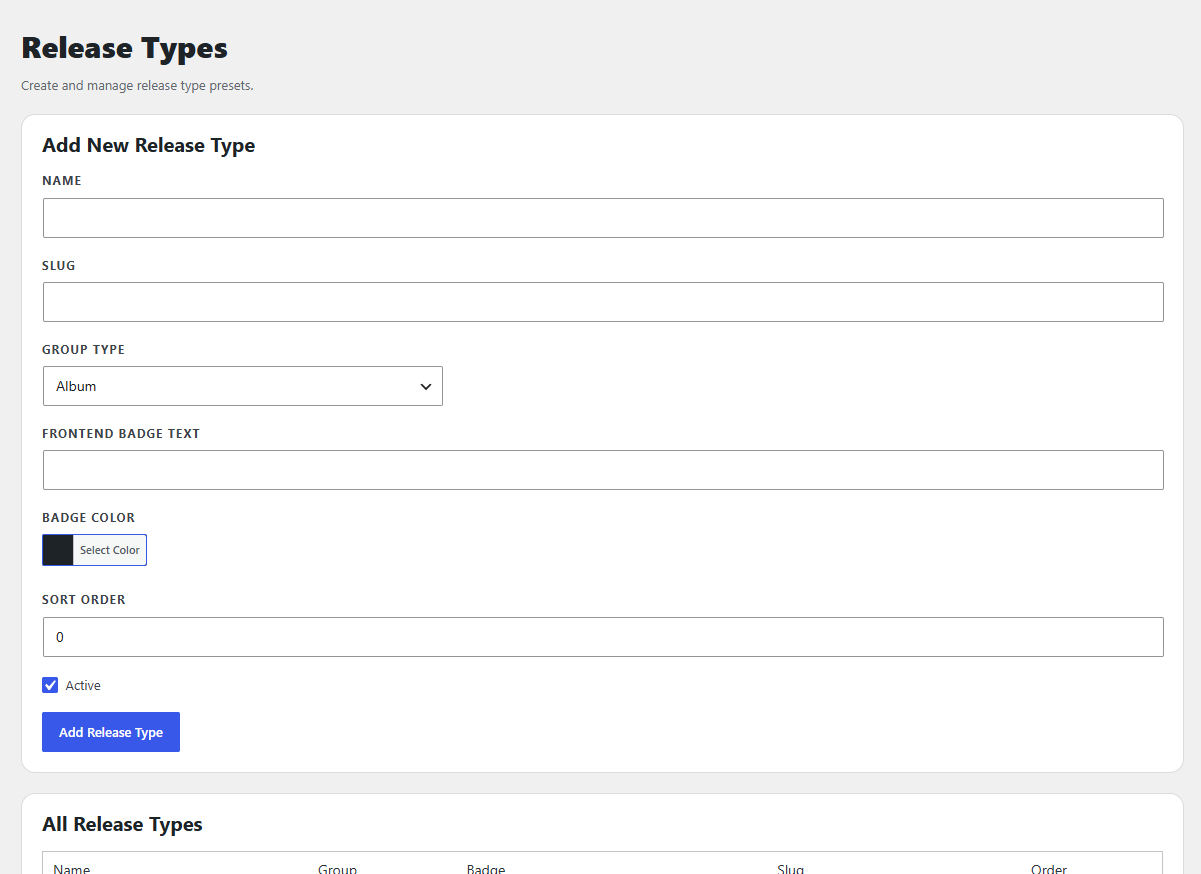
Project Types are the type of Album or Single, you can add any other type you want in any color banner. (Keep the name short though as they appear on your cover in the grid.)
Streaming Services (13) Featured:
- Amazon Music
- Apple Music
- Bandcamp
- Deezer
- Melon Music
- Pandora
- Rakuten Music
- Soundcloud
- Spotify
- Tidal
- VIBE
- YouTube
- YouTube Music
Purchase Services (8) Featured:
- Amazon
- Apple / iTunes
- FYE
- HMV
- Official Website (Your Celebrity’s Official Store)
- Target
- Walmart
- WeVerse
Project Types (13) Featured:
- Album
- Anniversary
- Compilation
- EP
- Holiday Single
- Live
- Mixtape
- Remixes
- Rerelease
- Single
- Soundtrack
- Unreleased
- Visual
Changelog
OAN-1.0.1 (August 10, 2026):
- Fixes an issue causing the Icons to not display properly on the frontend.
OAN-1.0.0 (July 24, 2026):
- The Remastered plugin has changed everything within the plugin and will present as a completely new plugin, therefore everything that has been changed is listed above in the new information.
- Import Feature added for those using the Legacy Version to easily redo their Discography!
- Legacy Version will be removed on September 1, 2026 from users to download.
OAN-0.3.1 (September 21, 2025):
- Added missing output code for the Album Information link not displaying when set as “Bottom” position.
OAN-0.3.0 (September 14, 2025):
- Initial Release